
PS4 External Hard Drive Guide
Never delete games again. Find the perfect external hard drive for your PS4 with our comprehensive guide covering the best options, setup instructions, and expert recommendations.
Why You Need an External Hard Drive
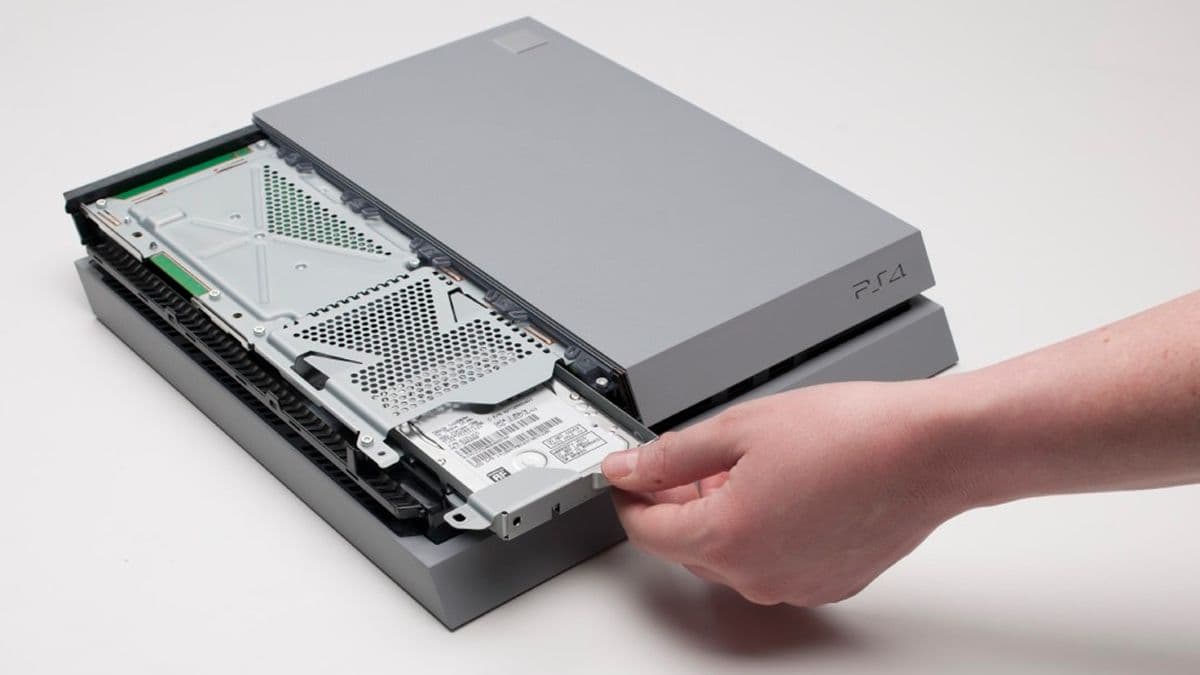
The PS4's internal storage fills up fast. With modern games ranging from 50-100GB each, even the 1TB PS4 Pro can only hold 10-15 games. An external hard drive is the easiest and most affordable way to expand your storage.
Since PS4 System Update 4.50 (Sasuke), you can connect external hard drives from 250GB to 8TB via USB 3.0. Games run directly from the external drive with no performance loss, and setup takes just minutes.
Requirements
Pro Tip
A 2TB external drive is the sweet spot for most gamers - enough for 30-40 games at a reasonable price point of $60-80.
Store 50+ Games
Modern PS4 games are 50-100GB each. A 2TB drive holds 30-40 full games, eliminating constant deletion.
Faster Than Deleting
Keep your entire library installed. No more waiting hours to reinstall games you want to play again.
Easy Game Management
Move games between internal and external storage in minutes. Take your library to a friend's house.
Future-Proof Investment
External drives work with PS5 for PS4 games. Your investment carries forward to next-gen gaming.
Best External Hard Drives for PS4
From budget options to premium performance drives, here are the best external hard drives for PS4 across all price ranges and use cases.
Best Overall
WD Black P10 Game Drive
Pros
- Designed specifically for gaming
- Fast USB 3.2 transfer speeds
- Durable metal design
- Portable and lightweight
- 3-year warranty
Cons
- Slightly more expensive
- Requires external power for 5TB
Best for: Serious gamers who want reliability and performance
Best for PS4
Seagate Game Drive for PS4
Pros
- Official PS4 licensed design
- Plug and play setup
- Compact portable design
- USB 3.0 powered
- 2-year warranty
Cons
- Limited to 4TB max
- Plastic construction
Best for: PS4 owners wanting official licensed hardware
Best Budget
Toshiba Canvio Basics
Pros
- Extremely affordable
- USB 3.0 support
- Compact and portable
- Reliable Toshiba quality
- No external power needed
Cons
- Basic design
- Slower than premium options
- 1-year warranty only
Best for: Budget-conscious gamers needing basic storage expansion
Fastest Performance
Samsung T7 Portable SSD
Pros
- SSD speeds up to 1050MB/s
- Dramatically faster load times
- Compact credit card size
- Shock-resistant design
- 3-year warranty
Cons
- Much higher price per GB
- Lower capacity options
- Overkill for most users
Best for: Performance enthusiasts willing to pay premium for speed
Maximum Capacity
Seagate Expansion Desktop
Pros
- Massive storage capacity
- Best price per GB
- USB 3.0 support
- Store 100+ games
- Reliable Seagate quality
Cons
- Requires AC power adapter
- Not portable
- Larger physical size
Best for: Gamers with huge libraries who never want to delete games
Best Portable
WD My Passport
Pros
- Ultra-portable design
- Multiple color options
- Password protection
- Auto-backup software
- 3-year warranty
Cons
- Slightly slower speeds
- Software not needed for PS4
Best for: Users who want portability and style options
How to Setup Your External Hard Drive
Setting up an external hard drive on PS4 is simple and takes less than 5 minutes. Follow these steps:
Connect the Drive
Plug your external hard drive into one of the PS4's USB ports (USB 3.0 ports are on the front).
Format the Drive
Go to Settings > Devices > USB Storage Devices. Select your drive and choose 'Format as Extended Storage'.
Confirm Formatting
The PS4 will format the drive to exFAT. This erases all data, so backup important files first.
Start Using
New games will automatically install to the external drive. You can move existing games via Settings > Storage.
Important: Formatting the drive as Extended Storage will erase all existing data. Back up any important files before proceeding.
Frequently Asked Questions
Will an external hard drive make my PS4 faster?
Standard external HDDs won't improve load times significantly. However, an external SSD can reduce load times by 20-40% compared to the internal drive. For most users, the speed difference isn't worth the premium SSD price.
Can I use the same drive for PS4 and PC?
No. When formatted as PS4 Extended Storage, the drive can only be used with PS4. If you want to use it with PC, you'll need to reformat it (which erases all PS4 games). Consider getting a dedicated drive for PS4.
What happens if I unplug the drive while playing?
Don't do this! Always close games and turn off your PS4 before unplugging the drive. Sudden disconnection can corrupt data and damage both the drive and your game saves.
How many games can I store on a 2TB drive?
Approximately 30-40 full games, depending on game size. Large games like Red Dead Redemption 2 (100GB+) take more space, while indie games might be only 5-10GB. A 2TB drive is the sweet spot for most gamers.
Do I need USB 3.0 or will USB 2.0 work?
USB 3.0 is required for Extended Storage. USB 2.0 drives won't work for game storage, though they can be used for media files and save backups. All modern external drives are USB 3.0 or higher.
Can I connect multiple external drives?
You can connect multiple drives, but only one can be active as Extended Storage at a time. You can swap between drives, but you'll need to go through Settings each time to activate a different one.
Ready to Expand Your PS4 Storage?
Stop deleting games and start building your ultimate PS4 library. An external hard drive is the best investment you can make for your gaming experience.