
Unlike the PS5, which doesn’t have a built in web browser, If you are tempted to use the web browser that comes with your PS4, and I do realise that many of you probably are not, then perhaps one of the first things to note about it is that it does not support the Flash plug-in. This inevitably means that some websites which require Flash might not display properly or function as intended. According to PlayStation Support, if this is a big problem for you, visiting the mobile version of a website will produce a more PS4 friendly rendering. You might wonder if you will be able to play your favourite web-browser games too. This depends on a variety of factors that are explored within this article. This isn’t the place for a Flash v HTML5 debate, but anyhoo… That’s the situation as it currently stands. Oh, and the PDF format isn’t supported, either.
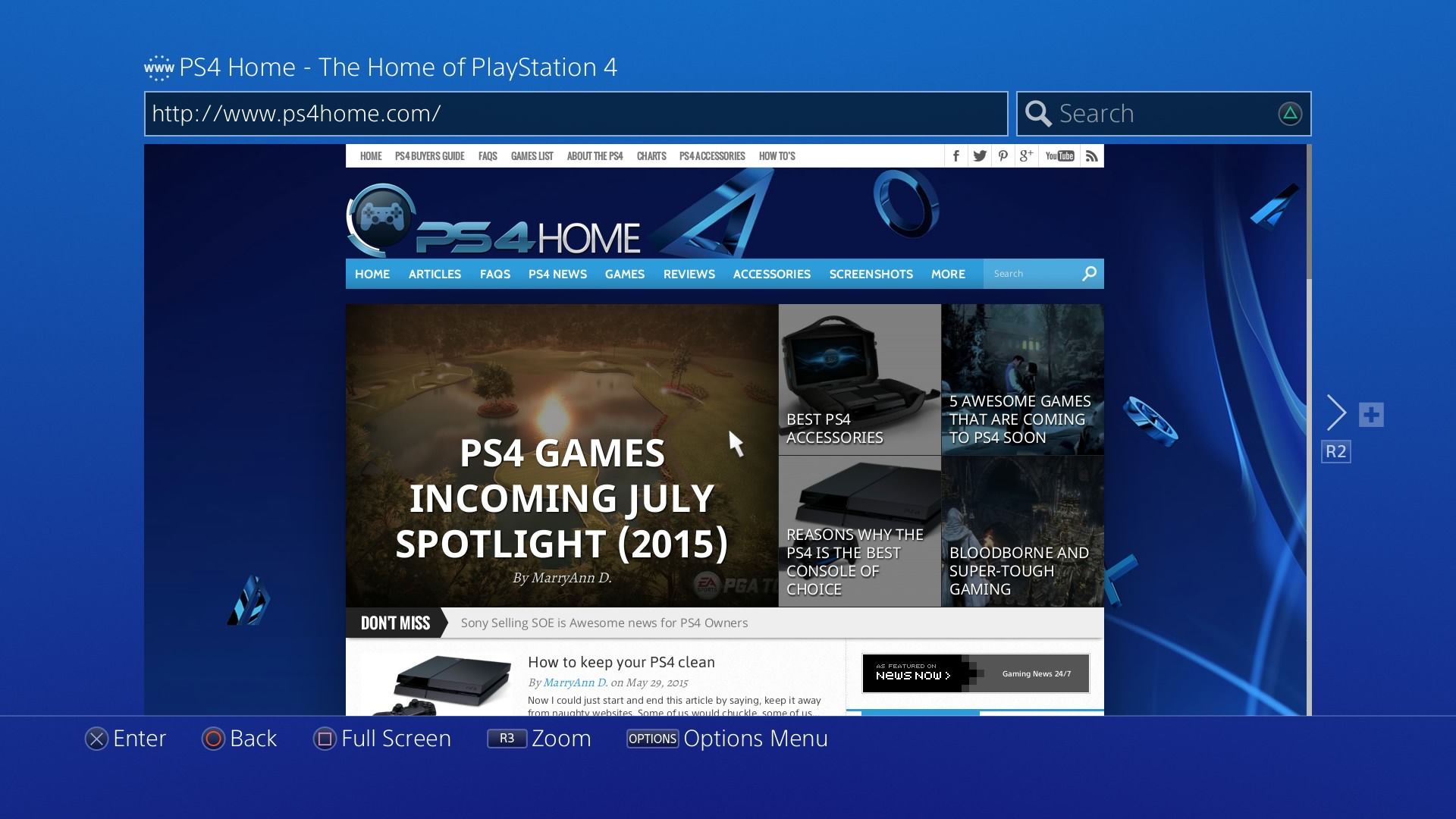
So, how to access it? Simply select the ‘www’ icon from your content area on your console. Press the triangle button, and then enter keywords in the search field or a URL into the address bar. You can change the web filtering options in your settings, and you will be able to track the 8 most recently visited pages. Basic functions, such as going back a page or forward a page are accessed from your controller. So, for that example, you’d press either the L1 button or the R1 button. To open a new window, you’d press the R2 button while + (New) is displayed. Bear in mind that you can only have 6 windows open at a time – if you open a new window with 6 already open then the leftmost window will close.
This does all seem slightly fiddly. The DualShock 4 provides several text-input options, including being able to use the touchpad to select letters. You could, to make it easier, download the PlayStation App on your phone or tablet, select the ‘connect to PS4’ option when you’re on a shared Wi-Fi connection, and then navigate the user interface using your phone and also use the on-screen keyboard. You could also, perhaps, connect a Bluetooth or USB keyboard to your PS4.
On the plus side, the browser is based on WebKit, which is open source and also powers Firefox and Chrome, so it is powerful and has a huge market share. Its compatibility is, therefore, good, if you ignore the aforementioned Flash and PDF issues. PlayStation also claim that, overall, the browser is faster and more compatible than the browser that came with PS3. Well, you would hope for an improvement in an upgraded version, wouldn’t you?
One clear advantage for gamers is being able to cut between gaming and browsing (if it’s accessible without Flash…) and back again with no loss of gameplay. This could come in handy for the easily distracted amongst you, or the incredibly busy, or the plain ol’ multi-taskers.
Although it’s unlikely that you’d ever be in anything less than 5 steps from a tablet, smartphone, laptop or PC (now there’s a thought), if you ever were caught short in this way then you could use the PS4 browser (assuming you’re within 5 steps of that) to look up vital things such as cheat codes or check your email. It’s a great handy tool and it’s another reason to grab a keyboard and mouse, especially if you don’t own a PC. It’s also nice viewing the web from your HD TV.
However, it is indeed highly improbable that you will never have a tablet, PC, laptop or smartphone in close proximity of your person, so you do have to question if the difficulties of using the browser on your PS4 are worth overcoming. Just saying.
MaryAnn Davison is an old school gamer who is a qualified Archivist and information manager. She loves to write in her spare time.
1 Comment
WebKit never powered Firefox. That would be Gecko (or Servo, which was written in the Rust programming language, that itself which was developed by Mozilla). Also, Chrome uses a fork called Blink. Safari does use WebKit though and so do some mobile apps. Not trying to devalue WebKit; it’s a great engine. Sent from my PS4