
Once you discover the world of online gaming with your PS4, you’re unlikely to ever look back. Online gaming offers an immersive real-time experience, connecting you with thousands of other players the world over. If you’re looking for information on how to play PlayStation 4 online, then read on.
You’ve probably heard of PlayStation Plus, which is a membership subscription service for the PlayStation Network. PlayStation Plus subscriptions cost $50 per year. Anyone who currently has a subscription for their PS3 and is concerned as to whether they will be able to carry over this membership to a newly purchased PS4 need not worry, as current subscriptions will transition seamlessly to your new console.

“Do I need PlayStation Plus to play online?” we hear you ask… and the short answer is yes, you do. You might think this is a bit unfair, but Sony suggest that due to the large amount of resources they have ploughed into this service, keeping it free would not make any sense, especially as this may well result in a reduction of service quality.
One of the main functions of the PS4 will be online play, so Sony understandably feels it is fair to charge for a service which includes continuous upgrades and new ways to play online. The move also brings Sony in line with Microsoft, whose Xbox 360 users also require a more expensive yearly subscription in order to play games online and access content such as Netflix.
You don’t need to be a member of PlayStation Plus if you only want to play non-synchronous games. This does severely limit your options though, as synchronous games include those where two consoles are linked up in order to communicate with each other in real time. You’ll be looking for this if you want to play co-op games or anything like racing or fighting games. Non-synchronous games will be those where you are taking turns which means that the consoles do not have to communicate in real time. This includes games like chess.
If you’re feeling generous, you can share selected options of your account on a friend’s PlayStation, if you sign in on their machine or they sign in on yours. If they’re signed in on your machine, this means they can play online multiplayer games as well as playing downloaded games purchased with a PlayStation Plus discount. What they can’t do though, is activate the online game save storage. If you do decide to sign in using your PlayStation Plus account but on your friend’s machine instead, you can play downloaded games purchased using your discount, but you can’t activate the online game save storage, or use any online multiplayer features of the PS4. This means that any progress will be lost so if you’re both serious gamers it makes sense to get yourself separate accounts for each PS4. How to play online once your accounts are both active is really easy, and in addition you get new online features such as Share Play and streaming, which were not available on the PS3.
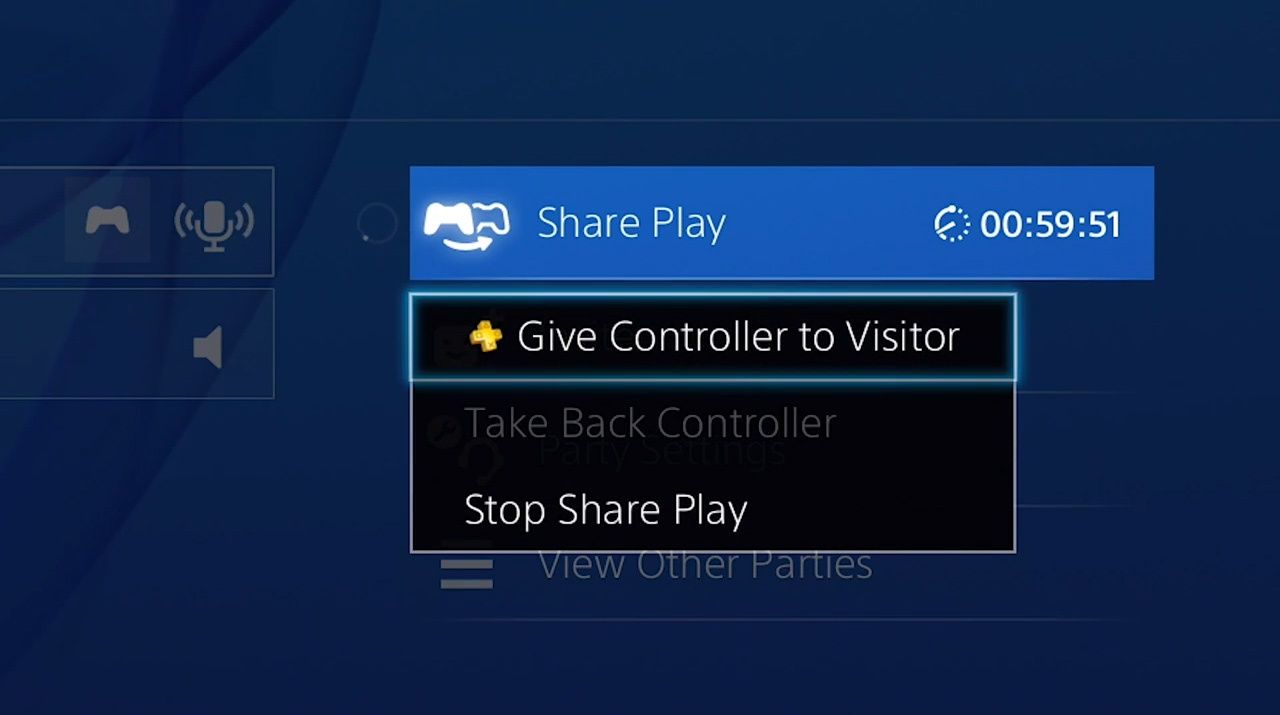
Share Play is a fantastic feature whereby you can invite other friends on the PlayStation Network to experience playing your game without owning it themselves. You can hand over complete control to your friend, no matter where they are. Try passing control back and forth to finish a tricky section or go head-to-head in multiplayer games. To hand over control of a game to your friend, you need to be a member of PlayStation Plus, but your friend doesn’t. If you want to play mutilplayer games together though, you both need to have a PlayStation Plus subscription.
Online play with your PlayStation 3 was free and Sony says they have no immediate plans to shift all their efforts towards the PS4. That said, the PS4 is over ten times more powerful than the PS3 providing a better resolution gaming experience.
One huge benefit of having a PlayStation Plus account is that you also get the ability to purchase discounted PlayStation Plus products, along with the opportunity to gain exclusive early access to game trials. You also get access to the Instant Game Collection, which is a carefully selected group of titles exclusively available to PlayStation Plus members, at no extra cost. You also get automatic game patch downloads and installation.
So without knowing how to activate your PS4, to getting your PS4 online, you’re really not seeing the full capabilities of this awesome piece of kit.
This post didnt have a specific author and was published by PS4 Home.